
ISFORMULA Function
An Excel Logical function that assesses whether cells have a formula.


What is the ISFORMULA Function?
The ISFORMULA function is an Excel Logical function that assesses whether cells have a formula. The formula returns TRUE if cells have a formula and FALSE if there is no formula.
The formula is useful in conditions where there are many formulas in Excel that enable users to identify, manage, and count cells containing calculated values.
Excel provides many tools for our various needs. One of these tools will assist you in checking if an entry is an actual formula. Much like a lie detector test, it will give results in true or false statements.
Knowing what is accurate and what is not can be helpful and more satisfying in our work. Sometimes, people share their Excel sheets with others for school or work purposes, and there may be a period of revision during these times.
Revising work to double-check accuracy is essential. This can make a massive difference when working with formulas, where the slightest change in a number can lead to errors.
Excel's Isformula function helps you check if actual formulas are being used. Aside from checking the procedure, the recipe does not usually show where the value is in a cell on Excel sheets.
When you use a formula in Excel, the result will be the only thing in the cell. Therefore, the function can assist you if you want to know if a cell contains a formula. Instead of clicking on each cell, seeing if a recipe appears is helpful.
The function can be used to double-check your spreadsheets. You can check if there are any missing or invalid formulas. However, if a procedure is weak, there is a high chance that the recipe will result in an error before you use the ISFORMULA.
-
The ISFORMULA function in Excel is used to determine if a cell contains a formula.
-
The ISFORMULA function returns TRUE if the referenced cell contains a formula and FALSE if the referenced cell does not contain a formula (i.e., it contains a constant value).
-
ISFORMULA is useful in auditing and managing spreadsheets where you need to identify cells with formulas. It can be used to build more complex conditional formulas or as part of data validation checks.
-
If the reference is not a valid cell reference, ISFORMULA returns the #REF! error.
ISFORMULA Function Excel Formula
Knowing the basis of a function's formula is essential when working on it within Excel. The formula contains arguments that are sometimes required and sometimes optional, depending on the process.

It is good to know what the arguments of the formula require and allow as well. It is important because it can help prevent errors with the function and your work. The formula for the ISFORMULA function is as follows:
=ISFORMULA(reference)
Now, let us take a look at how it appears in Excel. The formula will be like the following in Excel:

As we can see, the formula only contains one argument, which is:
- Reference: It is the required reference of the cell that you want to be tested. It can be a cell, formula, or the name that refers to a cell.
When entering the reference argument, one thing to consider is ensuring your data is valid. If the entry you pick for reference is not a suitable data type, such as a defined name that is not a reference, then it will result in an error. The error that you will receive is #VALUE! Error.
Note
When entering a formula in Excel, enter an equal sign. If not, excel will not recognize the function.
After entering the necessary information for the function, the result will be TRUE or FALSE. TRUE will result if the reference is a formula, and FALSE will result if there is no formula.
If there is a formula and an error within the procedure, the ISFORMULA function will give you a result of TRUE. It happens because the function will result in TRUE, no matter the output or error of the formula.
How to use the ISFORMULA Function in Excel?
After covering the syntax and the function's arguments, we can apply it to an example. We will have the following data:
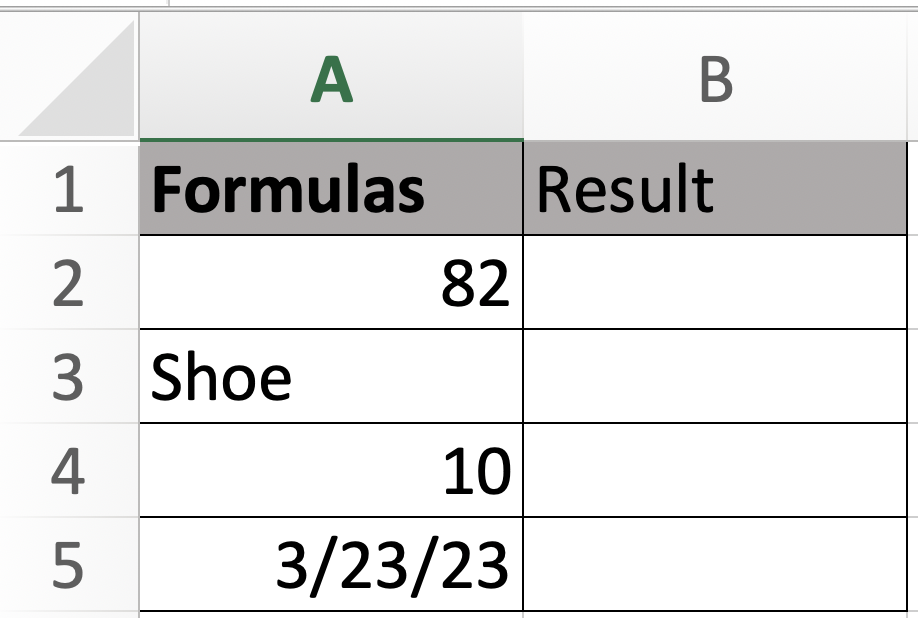
As you can see, when we do not click on any of the cells, you can not tell whether a formula is used for it. That is why the function is proper. When you have a large amount of data, it can be challenging to look through each cell.
In the following image, you can see that when we click on cell A2, you can see a formula appears for the number.
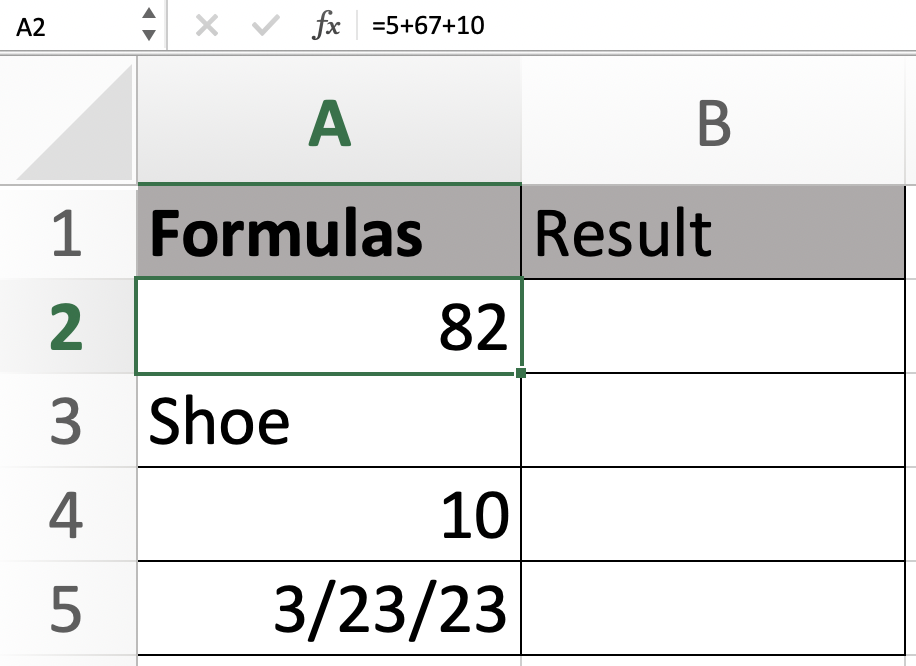
For our second step, click on the cell where you would like to get your results. After you click on the cell, begin typing in your formula. Remember to start your procedure with an equal sign when ordering it.
As mentioned before, starting the formulas with an equal sign is essential so the system can recognize it as a function. When you get to the entry of the argument, you can select the cell box you wish to enter. Your formula should be like the following:
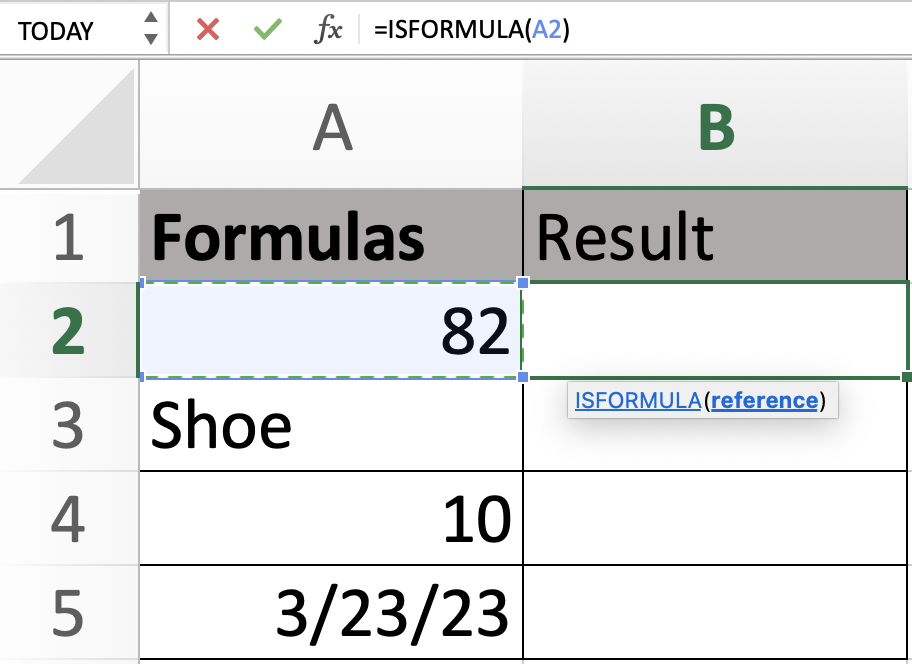
After entering all the data needed for your formula, you can proceed to click enter. After the procedure is computed, you will receive the result TRUE. This shows us that a formula is being used for cell A2.
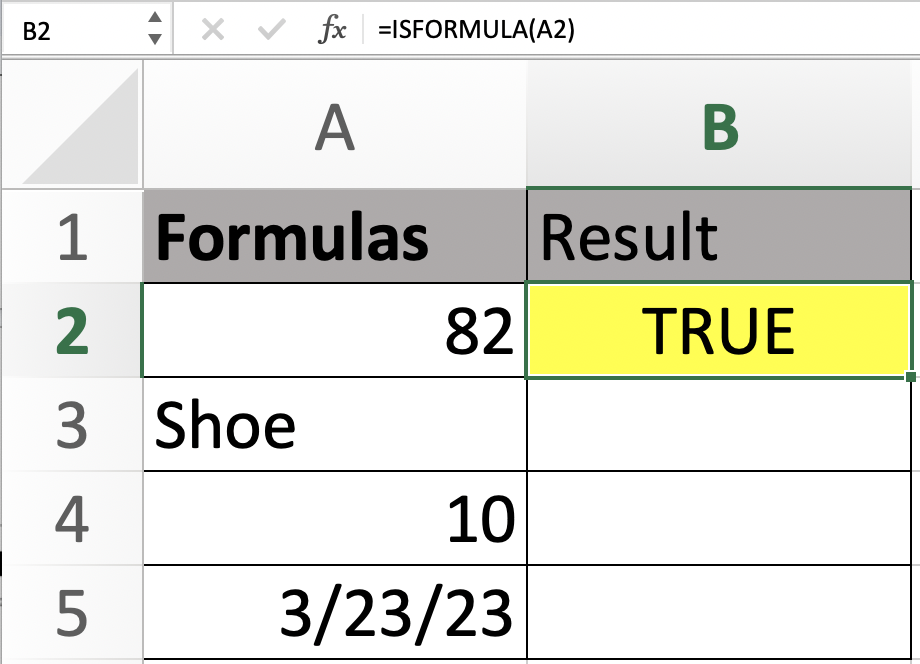
For the second cell, we will see if a formula was used for the word shoe. We will follow the same steps once again to find the results. The result that we received was FALSE because there was no formula, and it was just simple text.
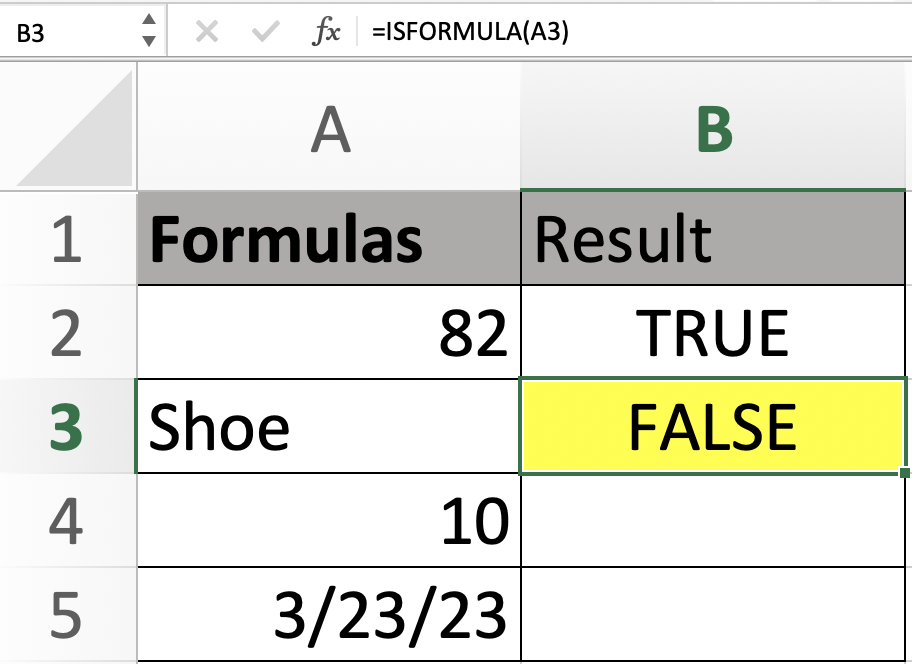
For the next two cells, we will continue using the same method of entering the formula for the function. For the number ten, we see in the data that our result came back as false, letting us know that no procedure was used for the number.
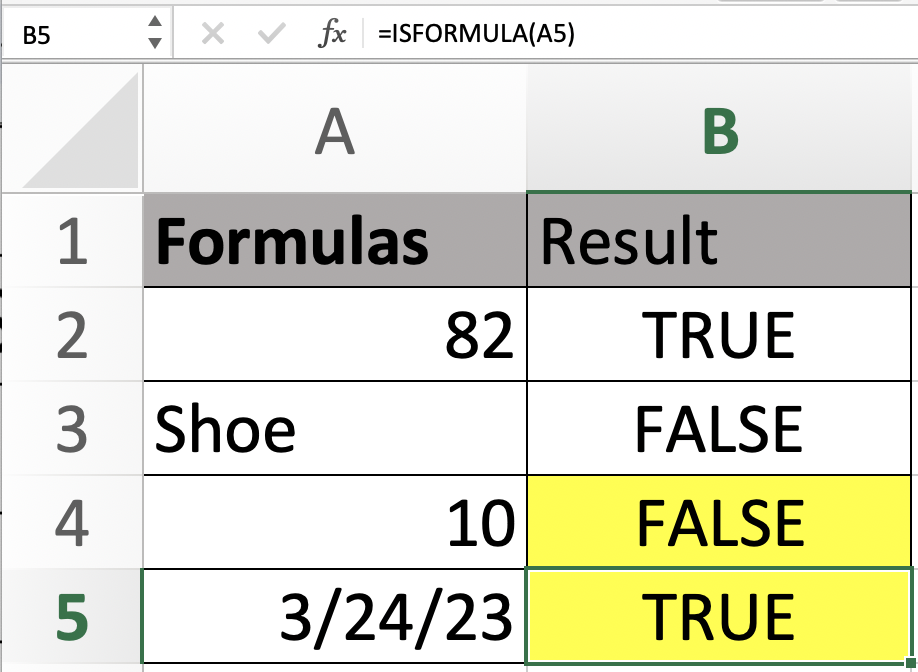
The last cell, A5, contains a date. When we entered the formula, the result we received was accurate. It means that the date was documented using a formula. The results will look like the following:

Free Resources
To continue learning and advancing your career, check out these additional helpful WSO resources:


or Want to Sign up with your social account?