
PDF document to Excel spreadsheet


Working on a tool to convert PDF documents to Excel spreadsheets. Curious to get any thoughts.
Once the PDF is uploaded, the resulting spreadsheet looks like this:
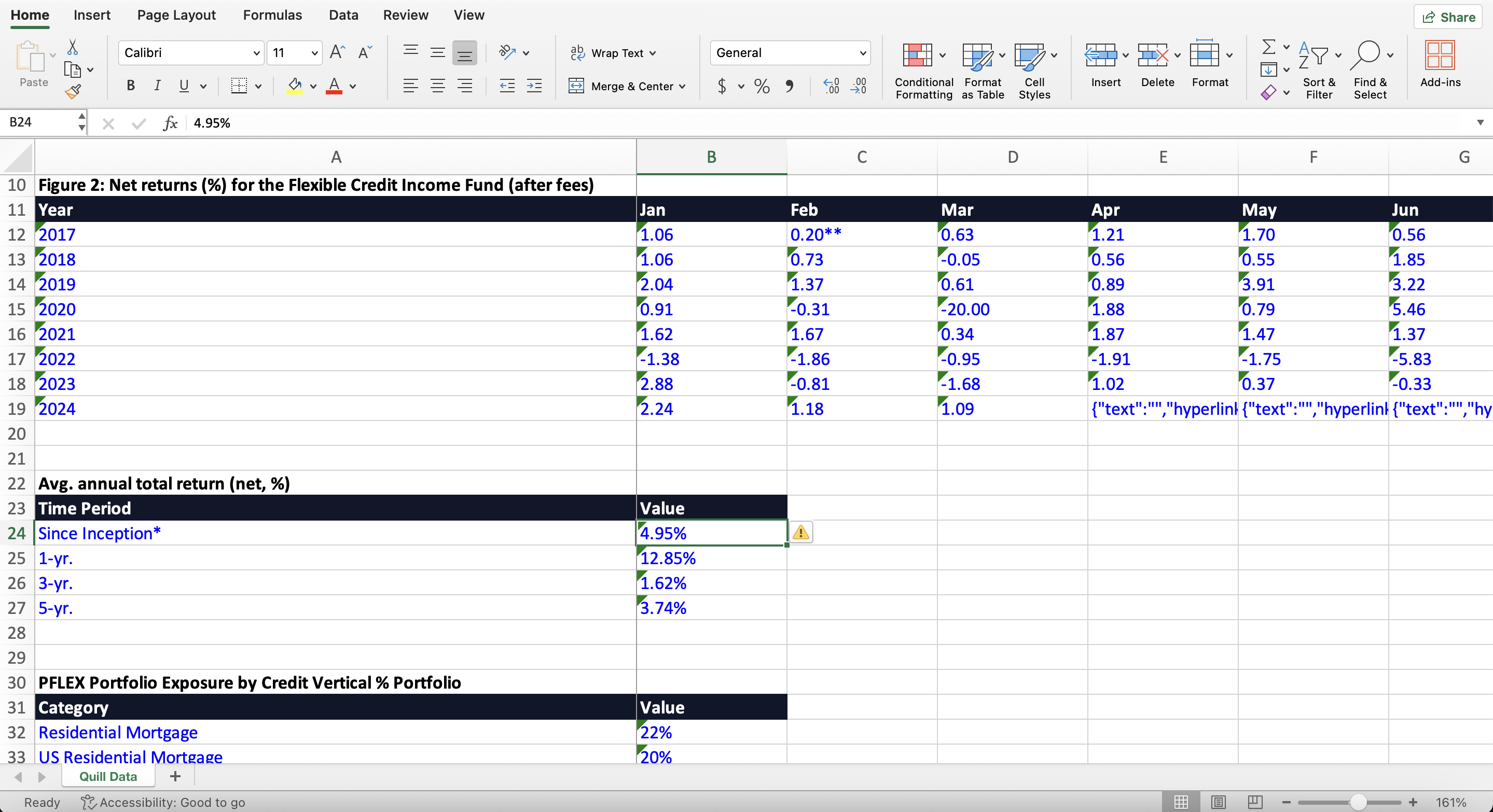
Clicking on any number on the spreadsheet redirects you to the PDF with the seleceted value highlighted (look at the lower righthand corner in the image below):
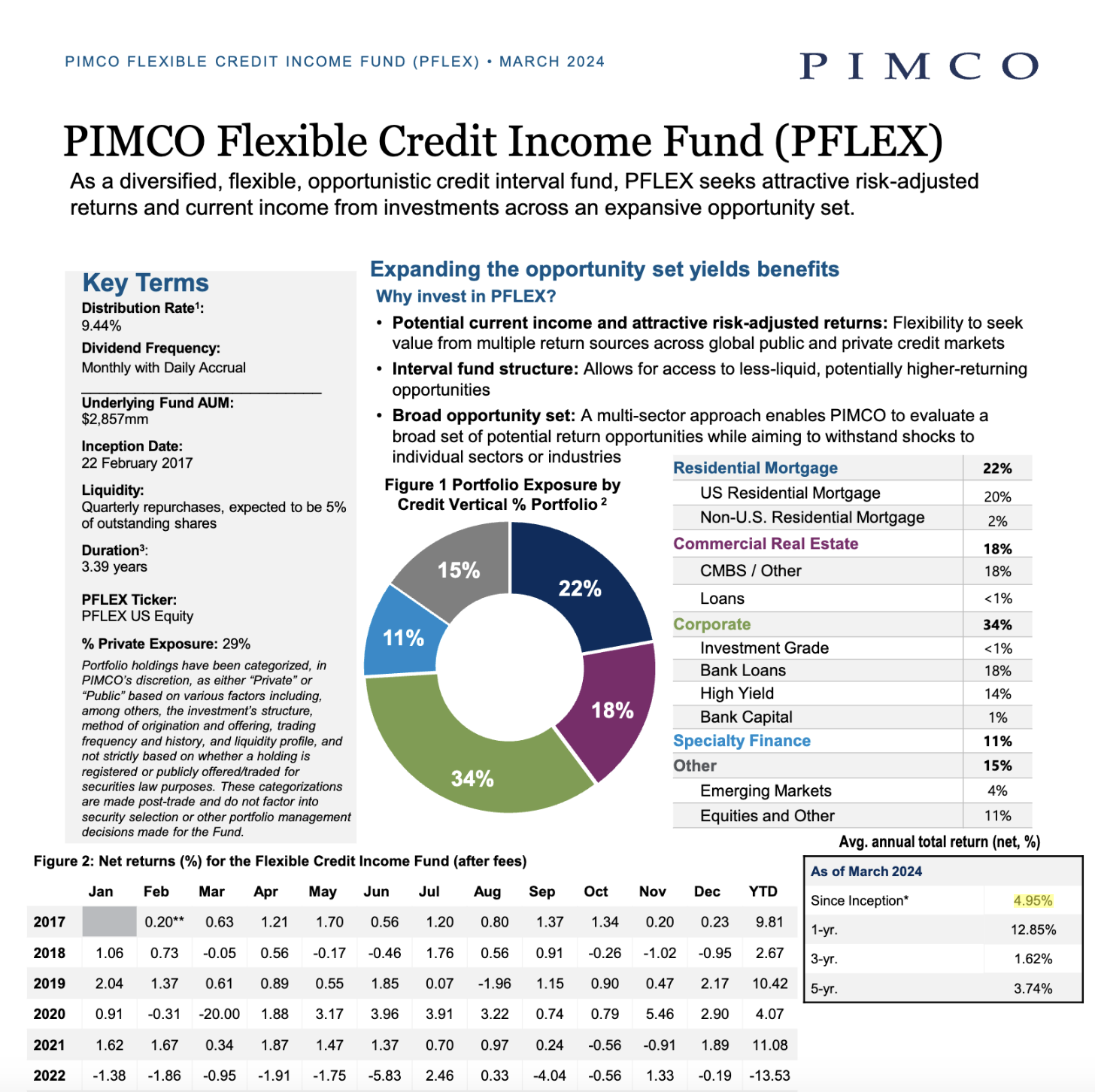
Any thoughts or suggestions would be greatly appreciated!






Excel already has something like this built in (Data -> Get Data from PDF) but it’s neat how you’re building in the linking to PDF.
My gripe with the built in excel function is that the formatting is always terrible when it pulls the numbers in, the numbers are always stored as text, and sometimes it will cause my excel to say I have external links and I can’t get rid of them or will populate some weird stuff in the name manager.
Very cool idea! I can't wait to see your improvements on it over time. Keep up the good work!
Bump + That’s pretty neat
bump & it looks sick!
This is actually a really cool idea 👍
The highlight feature is especially useful. Most PDF to Excel tools just convert data, but linking it back to the exact place in the PDF makes it much easier to verify numbers.
A few suggestions you could consider:
Vitae hic qui magni incidunt sed. Voluptatem omnis provident enim ut ex. Sunt odit ipsum commodi sequi quod. Possimus voluptatum qui quos nihil quia nihil officia. Commodi qui eos voluptas voluptatem quas aspernatur qui. Iste quidem blanditiis qui molestiae.
Dolor eos sit consequatur esse odio aut ea molestias. Est omnis numquam nam sit dolorem. Et rem in temporibus et mollitia iure illo. Nemo sapiente ipsa debitis deleniti. Architecto doloribus eaque ea laboriosam eos qui. Consequuntur nemo consequatur quia excepturi ullam sed. Aut eius sed illo non mollitia. Ducimus cumque dolore doloribus ut ad.
See All Comments - 100% Free
WSO depends on everyone being able to pitch in when they know something. Unlock with your email and get bonus: 6 financial modeling lessons free ($199 value)
or Unlock with your social account...